So it looks as if I'm not the only one looking to design a fun, interactive watch. A very cool OLED watch was recently featured on Hackaday. It has all sorts of features crammed into it and looks like was an impressive amount of time and effort put into making it. Watching a video of the watch in action gave me lots of thoughts about what to implement in my design and reading his write-up gave me a chance to compare my methods and parts against his. Overall I really like his design and what he did with such little space, and I would ultimately like to achieve the level of detail, quality, and battery life that he did, though with a slightly bigger package.
That being said, my design remained relatively unchanged after looking at his, mainly because we are attempting to accomplish different tasks and most of our circuitry was already similar. I did update my design to use the navigation button seen on his watch, but that will have little effect in the long run.
Thursday, October 24, 2013

DIY Smartwatch: Other Components
With the main component of the watch being chosen, it's now time to choose everything else that will go into making this watch. Since I chose a higher end screen, I'm going to shoot for other nicer components in order to get the most functionality out of it.
First off is the processor. I chose an Atmega32u4 for several reasons.
- I'm very familiar with Arduino and AVR programming, plus the Arduino community has phenomenal support so I wanted a chip that was also on an Arduino board, namely the Atmega328p or Atmega32u4.
- I chose the Atmega32u4 because it has more pins, more memory, more Flash, and a built in USB core which would mean no extra chip required for USB programming. The extra memory and Flash are also a plus since graphical programming result in a pretty large memory footprint.
- As an added plus, the Atmega32u4 has a way to internally change the processor speed so if it becomes an issue, I can speed up the chip when I need a speed boost.
For the Bluetooth 4.0 module I chose a module from FastTech mostly due to the fact that someone had already done all of the hard work, making an eagle component and breakout board.
I also decided to use this accelerometer from Sparkfun since it was the cheapest that they have and also has orientation and shake interrupts that I foresee using in the watch.
I decided to use this vibration motor from Sparkfun since it was already in their eagle library and I was making a purchase from them already.
I added the LiPo charging IC found on this board for to charge my battery directly from USB power.
And for the last of the major components I'm using a generic photocell to detect brightness
Aside from that I have a few other minor components such as regulators, headers, transistors, and passive components with a full BOM to be posted later.
Friday, October 18, 2013
DIY Smartwatch: Silent but not Idle
It may have been over a month since I've posted anything, but I've certainly been productive in that time! I've gotten quite a few things done including making the bill of materials, circuit design, and board design as well as ordering everything I should need for the finished product. Now that I'm waiting for everything to arrive, it's time to catch up on the documentation.
Over the next few days I'm going to try and write posts for how I established all of the other components to include in the circuit, how I designed the circuit itself, and how I designed the board. The lines between these topics also became quite blurred as I went on so I'm only going to cover the finished product and briefly discuss how I arrived there.
In the past month another DIY watch similar to what I plan also popped up over at Hackaday so I may also take a post to comment on what I liked from that design, what I didn't, and overall what I thought of it.
Lastly, I noticed a pretty neat competition over at Instructables that I may try and enter, assuming I finish by the Nov 11th deadline. Grand prize is a new laptop, 2nd gen Nexus 7, and quadcopter. It looks like the requirements are very broad, it has to be designed with a microcontroller, so hopefully I'll be entering this watch as well as my Pi on the Face project.
Monday, September 16, 2013
DIY Smartwatch: Screen Hunting
Primary Criteria:
- 45x45mm
- Low Power - less than 50mA
- Greater than 1.25" diagonal
- Easy to interface
- Color
- Touchscreen
- $40 or less
Adafruit:
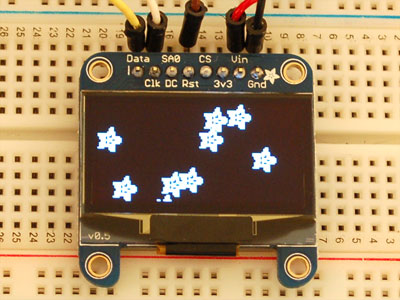
- Monochrome 1.3" 128x64 OLED graphic display
- Dimensions - 35x35
- Power Consumption - 40mA average
- Interface - I2C or SPI with easy to use library
- Price - $25

- SHARP Memory Display Breakout - 1.3" 96x96 Silver Monochrome
- Dimensions - 40x40mm
- Power Consumption - Nothing specific listed on the site, but after going through Sharp's spec sheets it looks like power consumption stays under 5mA for constant updating and drops down to under 10uA for a static image.
- Interface - SPI with easy to use library
- Price - $40

- OLED Breakout Board - 16-bit Color 1.5" w/microSD holder
- Dimensions - 43x42mm
- Power Consumption - 20 - 40mA
- Interface - SPI with easy to use library
- Price - $40
- Bonus - Built in SD card access for storing graphics and data

- Graphic LCD 84x48 - Nokia 5110
- Dimensions - 45x45mm
- Power Consumption - Under 5mA
- Interface - SPI with simple library
- Price - $10
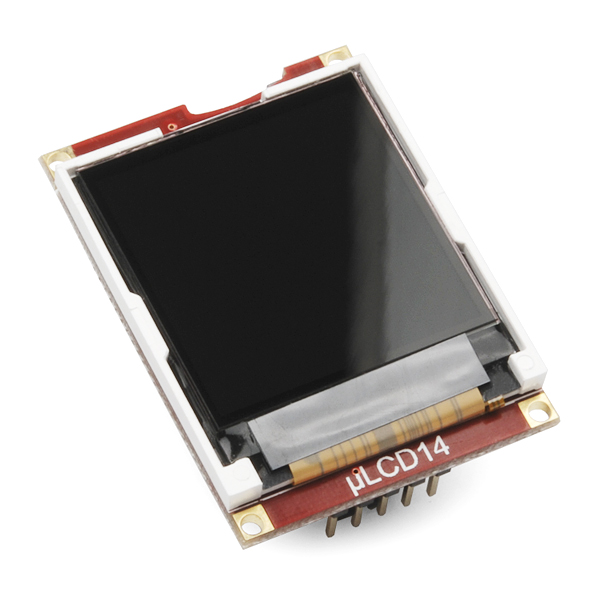
- Serial Miniature LCD Module - 1.44"
- Dimensions - 43x31mm
- Power Consumption - 40mA average
- Interface - Serial
- Price - $32
- Bonus - SD card holder, onboard graphics processor
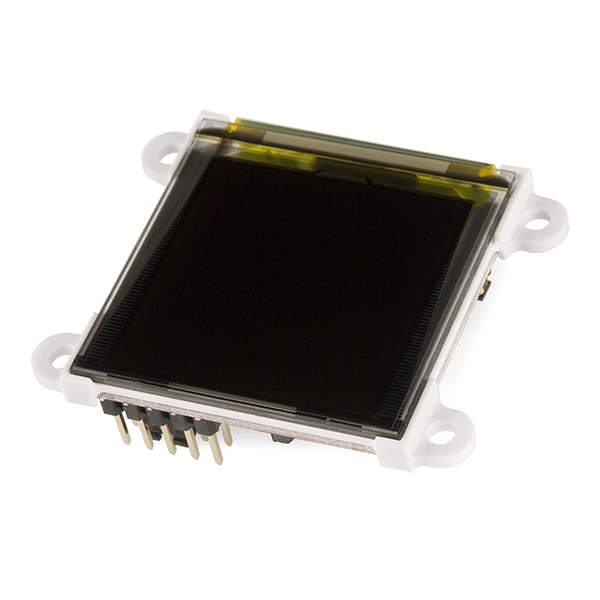
- Serial Miniature OLED Module - 1.5"
- Dimensions - 45.5x33.5mm
- Power Consumption - 40mA average
- Interface - Serial
- Price - $50
- Bonus - SD card holder, onboard graphics processor

- Serial Miniature OLED Module - 1.7"
- Dimensions - 52x36mm
- Power Consumption - 40mA average
- Interface - Serial
- Price - $60
- Bonus - SD card holder, onboard graphics processor
So I'm going to rule out the SparkFun modules right off the bat. While the idea of getting a large screen with a built in microcontroller is appealing, I'm already going to be spending a lot of time figuring out how to program the watch and making the Android app so I'd rather just use an AVR chip since I'm familiar with them. In addition, these modules are roughly $10 more than their dumb counterparts, whereas an AVR chip only costs a few dollars. The Nokia module is also surplus and rather old so it might arrive in questionable condition and I'd rather future proof this watch as much as possible by making the most expensive component of the watch robust, futuristic, and nice to look at.
This leaves me with the monochrome OLED, SHARP memory display, and color OLED. Since the monochrome and color OLEDs both have similar power consumption, I'm going to rule out the monochrome one in favor of the using the full range of color. So ultimately the decision comes down to two very nice displays at $40 each, with both displays having their benefits and drawbacks.
On the one hand, the SHARP display has negligible power consumption which is a big concern, but it has slower update rates, is monochrome, and is a write only display, meaning the entire image must be stored in memory, taking up valuable program space. The color OLED display has a respectable range of color, a higher resolution, a faster update rate, but consumes far more power.
Ultimately, I'm in favor of the color OLED display. Making this watch will be a long term project, with many upgrades and tweaking along the way, so I'd like to get the nicer display now, deal with the lesser battery life in the short term, and upgrade to a nicer battery later or just carry around a spare. It will also act as incentive to optimize power consumption and create some power saving algorithms that could apply to future projects.
Sunday, September 15, 2013
DIY Smartwatch: Project Definitions
Now that I've reviewed what the current smartwatch offerings are, it's time to define a set goals for my own version.
Primary Goals:
Primary Goals:
- Size (<= 45x45x10mm) - Regular watch sizes vary from 34mm to 40mm with larger ones reaching up to 44mm. The smartwatches on the market tend toward the larger end of the spectrum so I'm going to set a hard limit at 45mm x 45mm size, with a push for smaller. Thickness is another matter entirely. Most hobbyist screens on the market need a breakout board which means my watch will need to have two PCBs and a battery sandwiched together. The commercial offerings average at a thickness of 10mm so I'm going to shoot for around there.
- Connectivity (BLE) - This is a simple one. My phone supports BLE and battery life is going to be a huge issue so I'm going to try cutting power consumption wherever I can. BLE is the obvious choice and there are a couple of cheap modules available on eBay.
- Screen ( > 1.25") - This choice will be largely dependent on my power budget and how power hungry the options for screens are. However, since no screen on any of the watches currently offered is less than 1.25" diagonally, I think that's a good minimum goal to shoot for. In terms of screen technology I assume I'm going to have to use some sort of OLED or low power LCD since the eInk type displays offered on the hobbyist market are still pretty sparse. Maybe I'll get lucky, but I would definitely like to have a color screen if at all possible.
- Battery Life (8 hours) - Since I'm attempting to make a nice smartwatch that has similar functionality to commercial offering, I'm obviously going to have to make sacrifices somewhere. It's probably going to end up being in the battery life category. I can't afford low power components and don't have the means to solder tiny chips onto a PCB. I also don't have much choice when it comes to hobby batteries' sizes and shapes so I will be using the best possible options. All these factors combined means I'm going to set a goal for an 8 hour battery life so it can last through a whole work day. Worst case scenario, I can get multiple batteries and swap them out when necessary.
- Price (<= $100) - As stated in my previous post, early supporters of the Pebble smartwatch could get one for $100 and that seems like a reasonable amount, so I'll set a hard limit at that price, though hopefully it will end up being cheaper.
- Interactivity - This one is pretty much up in the air. I'm experienced enough in Android programming that I can do a lot of the settings and notification handling on the phone side of things, but I would like to add some functionality to the watch as well. If I get lucky I'd like to use a touchscreen but I'm not sure how likely it is to find one in the right size so I'll probably end up with a few tactile switches for selection and most of the controls. I'd also like notifications to trigger something more noticeable than the screen lighting up so I'd like to add a vibration motor or a status LED as well. Additionally, I think an accelerometer would be a useful sensor to add since it probably uses negligible power and could be used for gesture recognition and other interfacing ideas.
Monday, September 9, 2013
DIY Smartwatch: Current Offerings
Time for the most important step of the design process: the product definition. I'm going to take some time, research some examples, and write down specifically what I (would) want in a custom smartwatch. Let me start off by outlining the features of some current smartwatches on the market and using them to zero in on what I want.
Battery life:
- Pebble - Roughly 7 days, mostly due to the ePaper display
- Galaxy Gear - Roughly one day
- Qualcomm Toq - 3 to 4 days
- Sony SmartWatch 2 - 3 to 4 days
Screen:
- Pebble -
- Sharp Memory or ePaper which means no color, just black and white, but has a backlight
- 1.26"
- 144x168 pixels
- Galaxy Gear -
- Super AMOLED display which means lots of bright vibrant colors and no power draining backlight
- 1.63"
- 320x320 pixels
- Qualcomm Toq -
- Mirasol Color Display, similar to eInk but with color, pretty low power usage
- 1.55"
- 288x192 pixels
- Sony SmartWatch 2 -
- Transflexive LCD which I assume means some sort of low power LCD screen
- 1.6"
- 220x176 pixels
Size:
- Pebble - 32mm (W) x 50.33mm (H) x 8.44mm (D)
- Galaxy Gear - 36.8mm (W) x 56.6mm (H) x 11.1mm (D)
- Qualcomm Toq - 47.6mm (W) x 43.3mm (H) x 9.96mm (D)
- Sony SmartWatch 2 - 42mm (W) x 41mm (H) x 9mm (D)
Connectivity:
- Pebble - Bluetooth 2.1 or 4.0 (BLE)
- Galaxy Gear - Bluetooth 4.0 (BLE)
- Qualcomm Toq - Bluetooth 4.0
- Sony SmartWatch 2 - Bluetooth 3.0, NFC
Interactivity:
- Pebble - 4 navigation buttons, accelerometer for dismissing notifications with a shake, magnetometer, ambient light sensor
- Galaxy Gear - Camera, 2 microphones, speaker, accelerometer, gyroscope, interactions with S Voice and other Galaxy features, touchscreen
- Qualcomm Toq - touchscreen
- Sony SmartWatch 2 - touchscreen
Price:
- Pebble - $150
- Galaxy Gear - $300
- Qualcomm Toq - $300
- Sony SmartWatch 2 - $180
So as a whole, the smartwatches on the market now have a lot to offer. I probably won't be able to achieve the same resolution as any of the commercial offerings, but I think I can at least get some of the same features. Size might also end up being an issue. I'll most likely need to find a balance between features and size constraints. Price is also worth mentioning. $150 for the cheapest smartwatch is pretty steep. The early backer price for the Pebble on Kickstarter was $100 so I'm going to try and shoot for less than that price range.
Sunday, September 8, 2013
DIY Smartwatch: Why do I care?
With Google Glass popularity on the upswing, Sony releasing its second generation of SmartWatch, and the recent releases of the Samsung Galaxy Gear and Qualcomm Toq, it's a great time for the wearable technology industry. Since the advent of mobile phones, technology has become less a tool and more an extension of our selves. While thirty years ago a computer was merely a high functioning calculator designed to accomplish work more easily, computers are now a ubiquitous tool that we carry in our pockets, carrying out tasks ranging from the mundane to critical. As computers becomes more integral to our daily lives, technology companies will be focusing more and more on ease of use and availability of new technology. The architectures of the notification systems in Android, iOS, and Windows phones are structured around streamlining the process of updates in one's personal life by making notifications noticeable and informative, yet subtle and accessed with the minimal amount of effort possible.
Smartwatches and Google Glass are what technology companies are hoping is the next step in making this process even easier for the consumer. Why should a person need to go through the hassle of taking a phone out of their pocket, turning on the screen, and sifting through notifications when the same notification system can be grafted onto a device that is already always available. Furthermore, with battery life in cell phones making minimal improvements over the past few years, it is even more important to remove the number one cause of battery drain, powering the screen. Watches and Google Glass are meant to serve as a platform that consumers can use to keep in touch with their notifications and online presence without needing to separate themselves from their surroundings by taking the time to look down at their phones. A watch is made for the occasional glance, used to inform oneself of the current time. A smartwatch can be the same, with updates reflected directly on the screen so the user can quickly see if they need to respond to a notification.
Now personally, I don't believe smartwatches are all that cool. Sure, it's another nifty little gadget, but it doesn't really add anything. I don't really find taking my phone out of my pocket to be that big of a hassle. However, I do think smartwatches are the first big technology that can be replicated by the Maker community. In fact one of the first popular smartwatches, the Pebble, was created as a Kickstarter project. I think it would be pretty fun and education to try and make a serviceable smartwatch so, time allowing, I might add it as another project on my list of things to do with blog posts documenting my process.
Subscribe to:
Posts (Atom)